
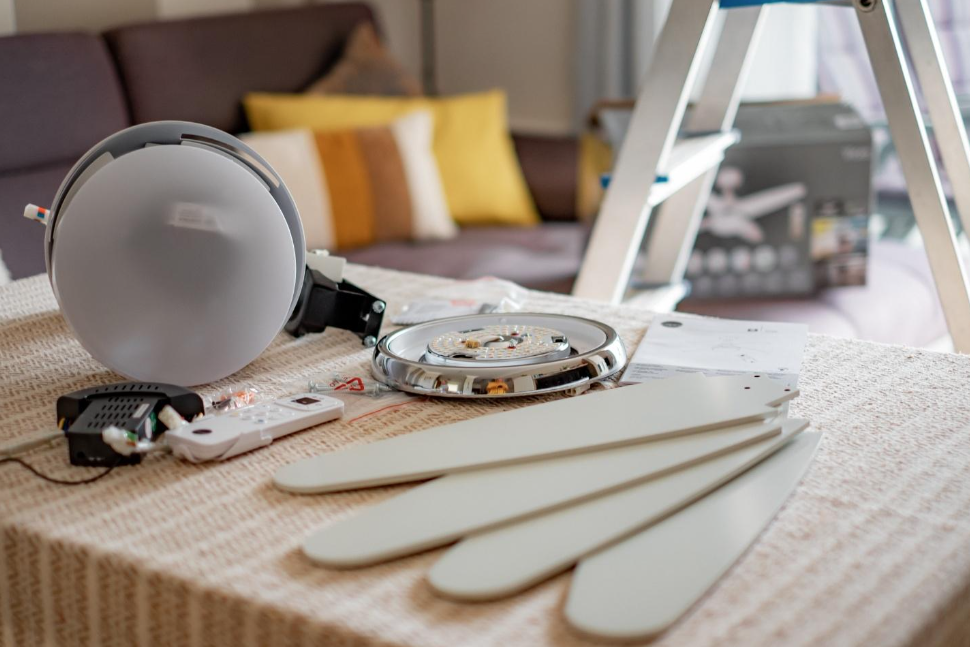
Key Takeaways About Ceiling Fan Installation Safety
Ceiling fan installation safety means installing and connecting fans so they run quietly and without dangerous movement. This guide is for homeowners and property managers who notice wobble noise or electrical signs and need clear next steps.
- Identify whether the box is fan rated and properly braced.
- Prevent loose wiring by using correct connectors and grounding.
- Avoid using non motor rated dimmers or incompatible controls.
- Spot blade damage or weight differences that cause imbalance.
- Reduce wobble by checking downrod length and torque on fasteners.
- Plan a professional inspection when electrical or structural risks appear.
Introduction
Wobbling, clicking, or humming from a ceiling fan usually means something is wrong with the installation rather than the fan itself. Loose mounting, an undersized or non–fan-rated electrical box, poor wiring connections, or mismatched controls all create noise and unsafe movement. Homeowners notice the problem when lights flicker, blades sag, or the whole fixture shifts while running. Addressing these issues matters because a shaky fan can damage the ceiling, loosen wiring, and create a fall hazard.
Many fans fail to run quietly because they are attached to standard junction boxes not rated for fan loads and vibration. Proper bracing keeps the box stable under hundreds of rotations every minute and prevents the box from pulling away from the framing. Faulty wirenuts, back-stabbed connections, or missing grounding conductors can cause intermittent power and arcing sounds. Those electrical faults pose both safety and reliability risks that are easy to miss without inspection.
Balance matters as much as mounting and wiring because even a small weight difference in blades creates persistent wobble and stress. Small nicks, warped blades, or loose blade screws change airflow and cause the motor to work harder. Fans that use dimmers or three-speed switches not designed for motor loads produce buzzing and overheating. Ensuring compatible controls reduces noise and preserves the motor life of the appliance.
Homeowners in Myrtle Beach, SC and properties in Conway, SC often detect symptoms when humidity or settling increases play in the mounting. A professional will check the fan-rated box, measure vibration, inspect wiring connections, and test the switch and grounding. Observations such as a rhythmic tick, a visible tilt, or flickering lights guide targeted checks with a voltage reading and a physical inspection. If you see those signs, contacting a trained electrician is the safest next step.
Why Fan Wobble Happens and How to Diagnose
Why fan wobble happens and how to diagnose means identifying mounting, blade, and electrical causes that make a fan move or vibrate. Start by listening and watching the fan at low and high speeds for rhythmic ticks or sudden shifts. Homeowners often ask, "Can I fix a wobble myself?" simple fixes like tightening blade screws or replacing a warped blade can stop minor wobble. If lights flicker or you smell hot plastic, stop the fan and call a professional right away.
- Check blade screws and brackets for tightness.
- Inspect the canopy and mounting bracket for gaps.
- Look for bent or warped blades visually.
- Note any flickering lights or burning smells.
Next, probe mounting points and the electrical box while the power is off to confirm secure attachment and wiring. A professional will remove the canopy, test the box for movement, and verify it is fan-rated with proper bracing. They will also perform a voltage reading and a continuity test to confirm steady power and a continuous grounding conductor. Those checks answer whether the wobble is structural, electrical, or blade-related.
Visual cues help narrow the cause quickly during a homeowner inspection before calling help for Myrtle Beach, SC properties. If blades look aligned but the motor housing shifts, the problem often sits at the mounting bracket or box. In a common situation, a rhythmic tick shows a loose blade screw, and a pro would tighten screws and then record a test run. For Conway, SC homes, humidity-related swelling can change blade pitch and prompt a rebalance or blade replacement.
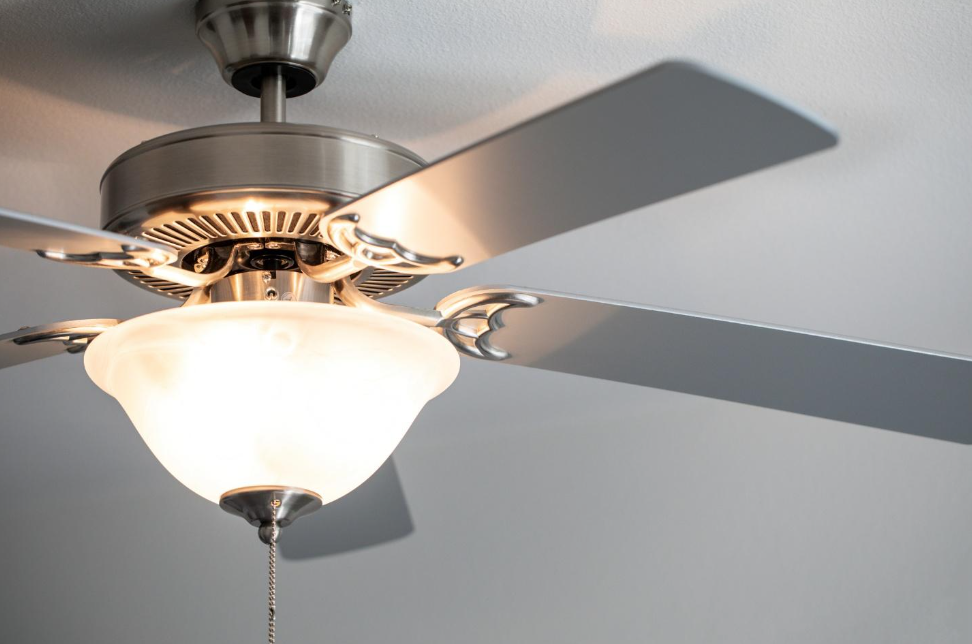
Photo from iStock - Credit: Garrett Aitken
Choosing Fan Rated Boxes and Proper Bracing
Select a fan-rated box sized for the fan's weight and motor torque before any installation begins. A fan-rated box mounts to joists or uses a brace that spans between framing members to stop rotation and sag. Confirm the box lists compatibility with ceiling fans and shows a stamped or molded rating to match the fan's weight. If the attic space allows, a professional can shift or add blocking to center the box under the ceiling fixture location.
Proper bracing prevents gradual loosening that leads to wobble and noise over time. Braces come as solid bars, expandable rods, or metal plates that sandwich the joist for stability. During inspection, look for cracks, split wood, or previous fastener paths that weaken the mounting point and require replacement. Reinforcing a compromised joist or replacing the box avoids repeated service calls and reduces vibration transmission into the ceiling.
When installing, keep wiring access continuous and strain-relieved so the box retains both mechanical and electrical integrity. Use a grounding conductor attached to the metal box and to the fan's ground tab if the fan includes a grounding lead. Secure all conductors with proper-rated wire connectors and tuck connections neatly without crowding the box volume. A pro may perform a continuity test on the grounding conductor and a voltage reading before finalizing the canopy.
Choose a mounting height and downrod length that match the fan's balance requirements and ceiling type. Longer downrods shift the center of gravity and need rock-solid bracing at the box to prevent oscillation. For installations in Myrtle Beach, SC and Conway, SC homes, consider humidity effects on fasteners and wood movement when selecting materials. If the box position or framing doesn't match the fan's needs, consult a licensed electrician in Conway, SC to install a fan-rated box or reinforced brace for long-term stability.
Safe Wiring Connections and Grounding Practices
Start wiring with the circuit power turned off and verified with a non-contact voltage tester to avoid live-contact hazards. Use wire strippers to expose conductor length that matches the fan's lead requirements, avoiding excess bare copper that risks shorts. Connect the fan's neutral to the circuit neutral and the fan hot lead to the switched hot, using properly sized wire connectors rated for the conductor count. A professional would verify each connection with a continuity test and a voltage reading before closing the canopy.
Grounding must be continuous and mechanically secure from the service panel to the fan assembly to reduce shock and noise risks. Attach the grounding conductor to the fan's ground screw or grounding pigtail and to the metal fan-rated box when present, making sure the connection is tight and free of paint. If the original installation lacks a grounding conductor, an electrician can run a new ground or install a ground-fault protective device depending on the circumstance. Documented continuity readings give homeowners confidence the path to ground is intact.
Use torque-appropriate wire connectors and avoid back-stabbed or taped splices that can loosen with vibration from the motor. Keep conductor bends gentle and provide strain relief so vibration does not tug on splices inside the box during operation. For metal boxes, bond the box to the grounding system and use insulated connectors where conductors pass through sharp edges to prevent chafing over time. After wiring, a visual check for loose strands or nicked insulation prevents intermittent arcing and related noise.
When dimmers or control devices are involved, confirm they are motor-rated and properly installed at the switch leg to prevent overheating and humming. A professional will test the control under load and use an amperage or voltage reading to ensure compatibility with the fan motor. In Myrtle Beach, SC properties with older wiring, upgrades to the switch or circuit may be necessary to meet modern fan electrical needs. For Conway, SC homes, be alert to corroded connections or oxidized conductors that require cleaning or replacement to maintain reliable operation.
Balancing Blades Correctly and When to Rebalance
Start by checking each blade for weight variation using a simple coin test or a balance kit to detect off-balance blades. Remove the blades and weigh them or compare visually for nicks, warping, or finish buildup that adds weight. A professional may use a balancing kit and a torque check to confirm blade weight and mounting stability. If blade arms or brackets show movement, tighten or replace hardware before final balancing to reduce stress on the motor.
- Measure blade runout visually.
- Check blade screws and arm tightness.
- Use a clip-on weight for tuning.
- Replace damaged blades as needed.
- Test at low and medium speed.
After hardware checks, reinstall blades and run the fan at low speed to observe wobble amplitude and direction with a ruler or straight edge. Note whether the fan wobbles in a single plane or in multiple directions to guide which blade requires balancing. A technician will log vibration readings and perform trial weights until the oscillation falls below perceptible limits. Keep the fan on a stable circuit during diagnosis to avoid variable power affecting speed and balance tests.
Rebalance when you notice new sounds, increased wobble, or after any repair or replacement of blades, light kits, or downrods. Seasonal humidity changes can shift blade pitch slightly, so inspect balance annually and after storms in Myrtle Beach, SC where moisture may affect materials. If flicker or motor strain appears during balancing, stop and consult an electrician to confirm wiring and motor health. When in doubt about mounting integrity or persistent vibration, a professional inspection will include vibration measurements and a written recommendation.
Compatible Controls and Motor Speed Recommendations
Choose controls rated for inductive motor loads rather than standard lighting dimmers to prevent humming and motor stress. Motors draw different startup and running currents, so pick wall controls and remote modules listed for ceiling fans. A professional will match the control's horsepower or amp rating to the fan's nameplate to ensure safe operation. For many homeowners, a motor-rated three-speed switch or a purpose-built electronic module reduces heat and audible noise.
Some modern electronic controls use PWM or other solid-state methods to regulate speed and reduce torque variation that causes vibration. Installers verify compatibility by checking the fan motor type, such as AC or DC, before selecting a control. If the wrong control type is used, the motor can overheat or the unit may produce low-frequency buzzes during operation. A pro will test the control across all speeds while monitoring motor temperature and current draw.
Use the recommended speed range on the fan label for long-term motor life and stable airflow during daily use. Excessive high-speed runs increase bearing wear and can amplify small imbalances into noticeable wobble and noise. For ceiling fans installed in Myrtle Beach, SC homes, extended high-speed use in humid areas may accelerate corrosion on electrical contacts unless the control limits sustained top-speed operation. Limiting top speed during continuous operation preserves bearings and reduces maintenance frequency.
When diagnosing control-related problems, a professional inspects the switch, remote receiver, wiring, and any capacitors for signs of heat damage or loose terminals. They will take a voltage reading at the fan motor leads and an amperage check under load to confirm the control behaves correctly. In a common situation, intermittent blinking lights and a jerky speed change point to a failing receiver that a technician will replace and retest. If the control replacement does not stop noise, the tech documents readings and recommends further motor or mounting inspection for a definitive diagnosis.
Common Warning Signs and When to Act Immediately
Unusual noises like grinding, a sudden high-pitched squeal, or a burning smell indicate immediate risk and require power off right away. If the ceiling shows cracks or the fan shifts position while running, stop use and secure the area. Visible arcing at the canopy, sparking, or melted insulation around conductors are electrical hazards that need a qualified electrician promptly. For Myrtle Beach, SC homeowners, sea air corrosion can hide connection faults that present suddenly and dangerously.
Persistent light flicker tied to fan operation often signals loose hot or neutral connections or failing motor windings. If a fan trips a breaker or repeatedly blows a fuse, there may be a short or an overloaded circuit needing diagnostic testing. A professional diagnosing this would cut power, open the canopy, inspect wire nut integrity, and perform a voltage and continuity check at the motor leads. Recordings of intermittent flicker or screenshots from a smart breaker help the technician reproduce and confirm the fault.
Excessive wobble that worsens quickly after tightening hardware can mean structural failure at the mounting or a cracked downrod or motor housing. In that case, leave the fan off and have an inspector check the fan-rated box, brace attachment, and fastener condition under load. A tech will apply a physical stress test to the bracket, view the box from the attic when possible, and note any wood splits or loose anchors. For Conway, SC properties, seasonal settling may reveal previously hidden mounting weaknesses during such an inspection.
If controls behave erratically, such as sudden speed jumps or loss of remote communication, stop using the defective control and test operation directly at the wall switch. A pro will measure voltage at the receiver input and output and replace the receiver if readings show instability under load. Keep a log of when erratic behavior occurs, including speed settings and whether lights are on, so the technician narrows the testing steps quickly. If replacement parts are needed, insist on motor-rated control devices to prevent recurring failures.
When to Call a Professional for Ceiling Fan Installation Safety
If you notice symptoms that suggest structural or electrical failure beyond simple adjustments, call a licensed electrician to confirm safety. A professional will shut power and perform a physical load test on the mounting bracket and fan-rated box. They will also open the canopy and take voltage and continuity readings at the motor leads to rule out intermittent electrical faults. Documented measurements and photos during the inspection help you and the technician decide on repairs.
- Verify the box is fan-rated under load.
- Test grounding continuity from panel to fan.
- Measure voltage and current at motor leads.
- Inspect downrod and blade arm integrity.
Call an electrician when visible damage appears in the ceiling or fan components that suggest load transfer problems. A pro will access the attic or ceiling cavity to inspect framing, braces, and fastener penetration without guessing from below. They can install proper bracing or replace a non–fan-rated box to stop progressive damage to the ceiling structure. For Myrtle Beach, SC homeowners, salt air can accelerate hardware corrosion that a technician will note during the check.
If electrical signs like flicker, sparking, or repeated breaker trips occur, have a professional diagnose the circuit and wiring immediately. The technician will trace the circuit, test switch and receiver function under load, and look for loose neutrals or arcing evidence that a homeowner cannot safely resolve. For Conway, SC properties, installers may recommend replacing aged connectors or upgrading the switch to a motor-rated device. After diagnosis, the electrician provides a written scope of work with repair options and safety priorities.
Preventive Maintenance Tips for Quiet Stable Operation
Schedule a light annual check that focuses on mounting hardware, blade attachment points, and control response to catch gradual issues early. During the visit, cycle the fan through each speed and watch for new sounds or slight movement that indicate loosening. A professional can torque key fasteners to manufacturer specs and confirm the canopy remains seated without adding new stress. Keeping a simple maintenance log with dates and observations helps track changes between visits.
Clean blades and motor housing gently to prevent imbalance from dust buildup while avoiding saturated solvents that damage finishes or motor components. Use a damp cloth and inspect blade edges for small nicks or warping you can address before they worsen. Remove and clean the light kit lenses or covers to keep weight distribution predictable and stable on the assembly. If you spot rust on fasteners, plan for replacement with stainless or coated hardware suited for humid environments.
Test electrical connections visually and with a meter on a periodic basis if you are comfortable doing so, otherwise have an electrician perform the checks. Verify the ground connection continuity, measure voltage at the fan leads, and confirm switch wiring remains tight without discoloration. Documented readings give a reliable baseline to compare if flicker or odd speeds return later. For Myrtle Beach, SC and Conway, SC homeowners, coastal humidity can accelerate connection degradation and warrant closer attention.
Balance checks should form part of routine maintenance since small shifts in blade weight are common over time and after cleaning. Use a balance kit or a clip-on weight to fine-tune each blade until wobble is imperceptible at normal speeds and test at several speed settings. Replace damaged blades and worn mounting hardware promptly instead of repeatedly tightening as a temporary fix. If vibration persists despite balancing, a technician will inspect the fan-rated box and brace under load to confirm long-term stability.
Schedule Professional Ceiling Fan Service
If your ceiling fan continues to wobble, make unusual noises, or show signs of an electrical or mounting problem, a professional inspection can identify the cause and determine the safest solution. Contact Mister Sparky of Myrtle Beach to schedule ceiling fan service and help keep your fan secure, quiet, and dependable.